| Available in the following product(s): ICM-Browser | ICM-Browser-Pro | ICM-Pro |
How to add smooth and blend transitions to a slide.
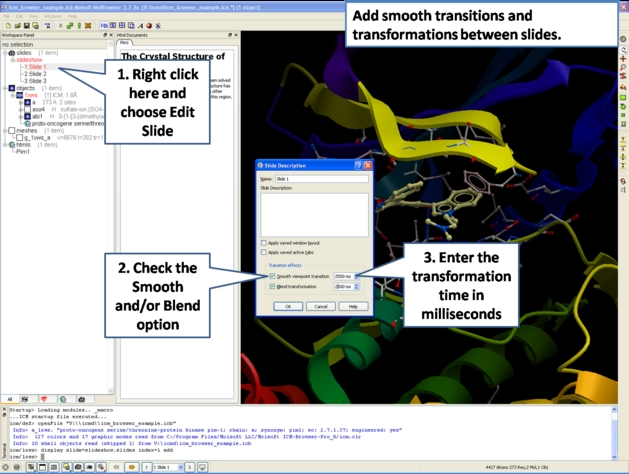
- Right click on the name of the slide in the ICM Workspace.
- Select Edit Slide.
- Select the desired transition effect - smooth or blend as shown below.
- Select the length of the transition in milliseconds.