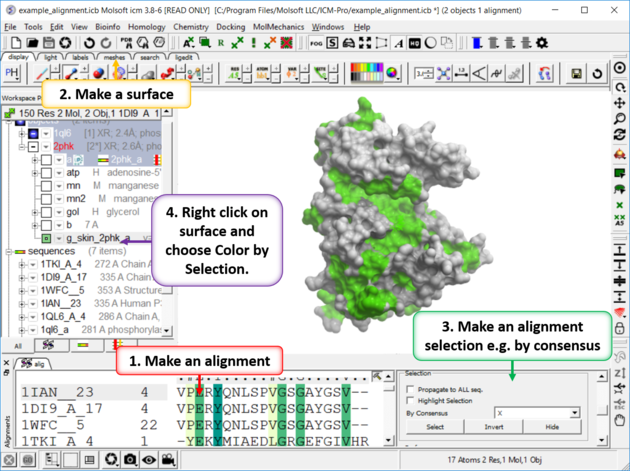
To color your protein molecule by the color of the alignment e.g. color by conservation.
- Extract the sequence from the PDB structure.
- Make the alignment.
- Color the alignment.
- Propagate the alignment coloring to the 3D structure by clicking and holding on the representation button (e.g. ribbon) in the display tab. Select Color by Alignment.
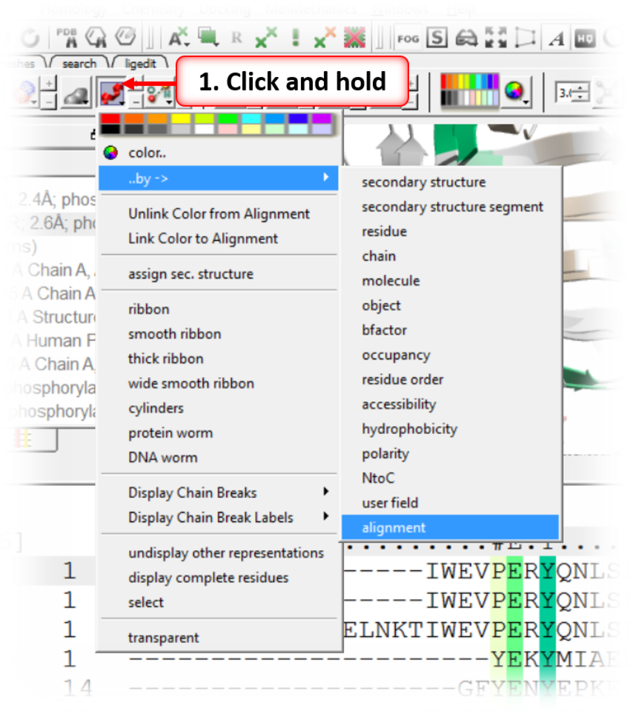
To color a surface by the alignment conservation.
- Make a plain solid surface using the meshes tab.
- Make a selection in the alignment by using the options in the Alignment Editor panel and select by consensus.
- Right click on the surface in the ICM workspace and choose Color by Selection.