You can browse and export the metadata by right clicking on a database in the tree which then opens up the tree.
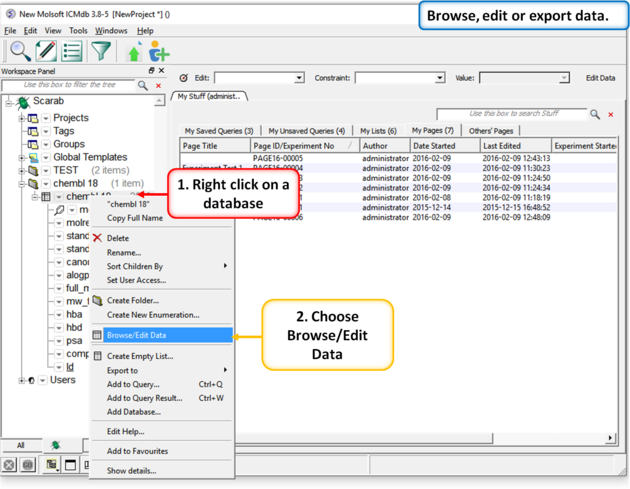 |
| Right click on the metadata and choose the option "Browse/Edit Data" |
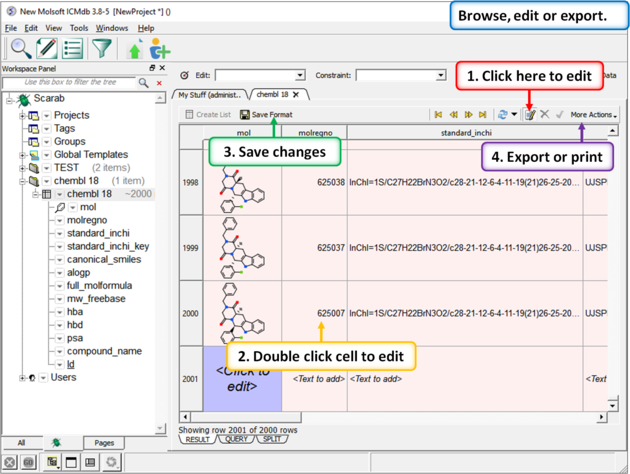 |
| Click on the "Enable Data Editing" button and then double click to edit a cell. Pink coloring in the row indicates that the cell has to be filled and grey indicates the cell will be automatically populated. Click on the "Save Format" button when you are finished. |