Scarab provides a convenient window to setup your query and report using drag and drop directly from the metadata tree. You can also save and share queries with other users.
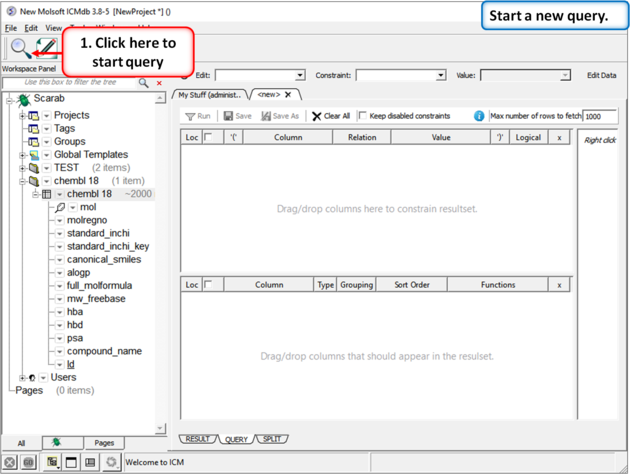 |
| Click the "Start a Query" button and the query |
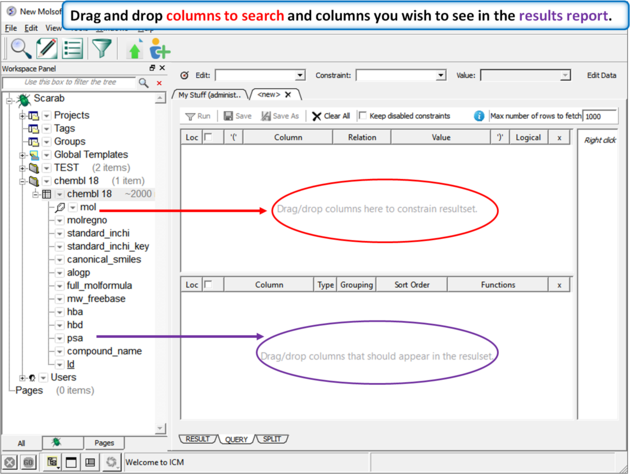 |
| Drag and drop columns to search into the top panel and columns you wish to see in the results report into the bottom panel. |
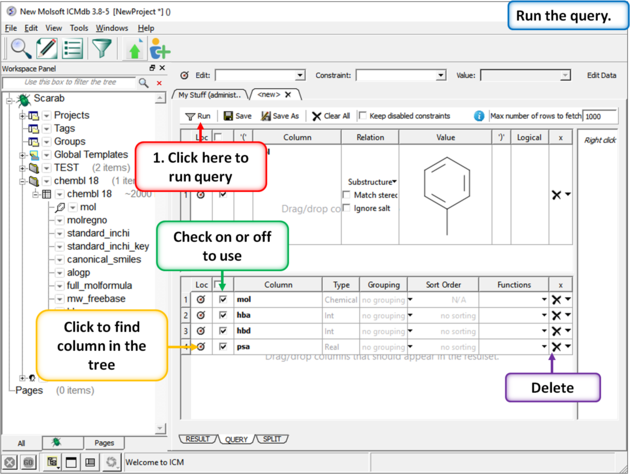 |
| Click the "Run Query" button to start the search. |
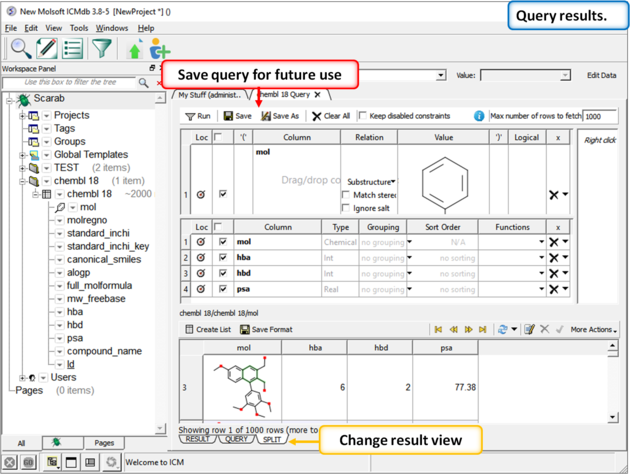 |
| When the query has finished the results will be shown in the bottom panel. You can change the view using the tabs and save the query. |
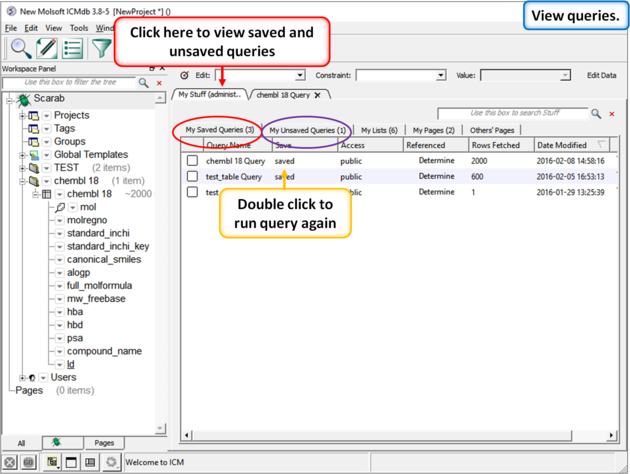 |
| Your queries will be saved in the "My Stuff" tab. |