Pages represents the Electronic Lab Notebook component of Scarab. Pages allows you to:
Intuitively write up your experiments
- Embed & annotate images
- Embed Excel spreadsheets
- Attach files
- Embed PDF files
- Permissions at Project level
- Named users may write collaboratively
- Save as PDF
- Print experiments
- Directly Import Data
- Type in Data
- Modify Data Within spreadsheet or form view environments
- Validate against business rules
To create a new page:
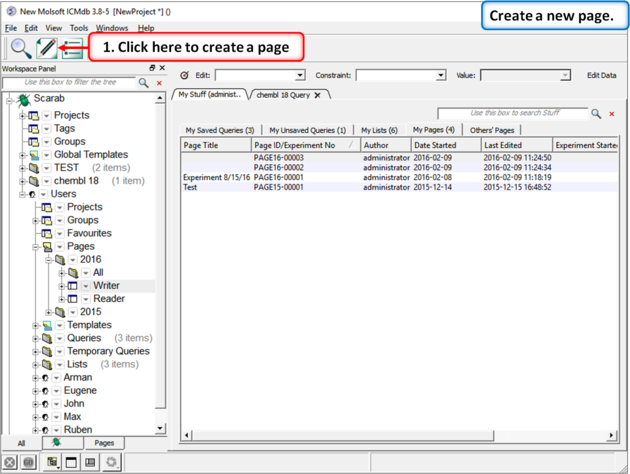 |
| Click on the "Create a Page" button. |
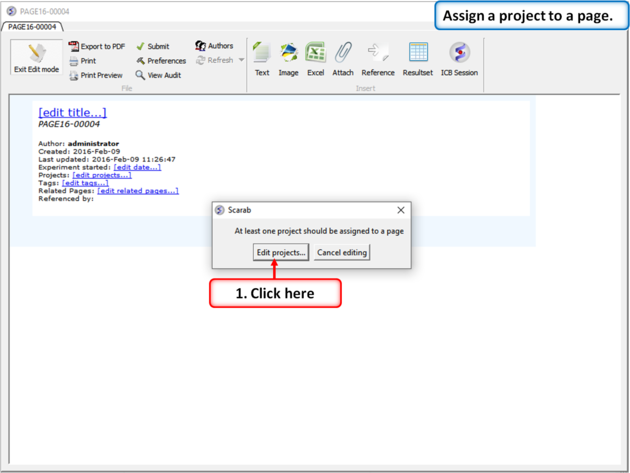 |
| First you need to assign a project to a page. The default projects are writer and reader but you can create new projects as described here. |
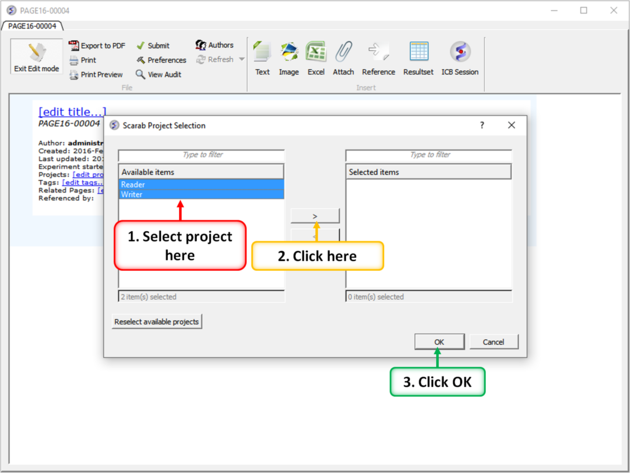 |
| Select the projects and move them using the buttons shown above. Multiple projects can be holding CTRL and clicking. |
 |
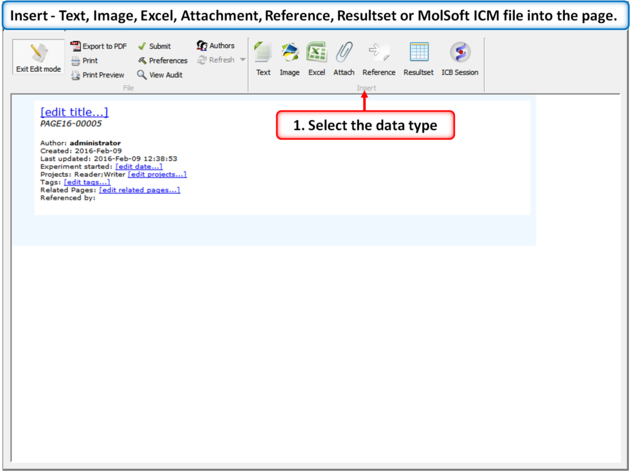 |
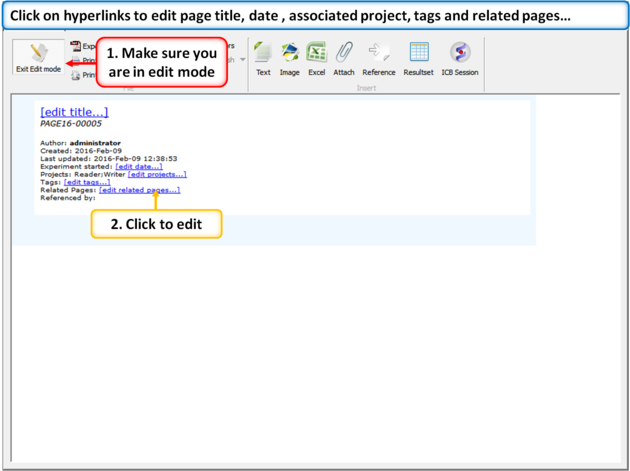
| Insert - Text, Image, Excel, Attachment, Reference, Results, or MolSoft ICM file into the page. |
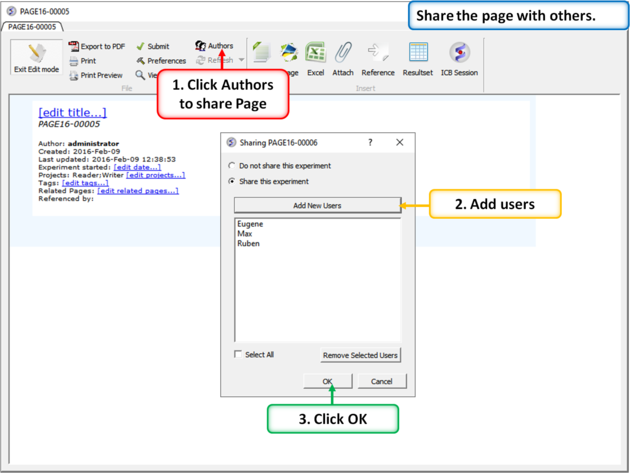 |
| You can share a page with other users. |
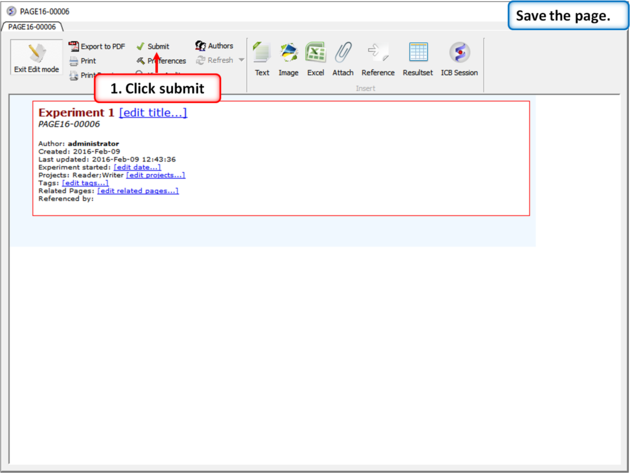 |
| Save the page by clicking "Submit". |
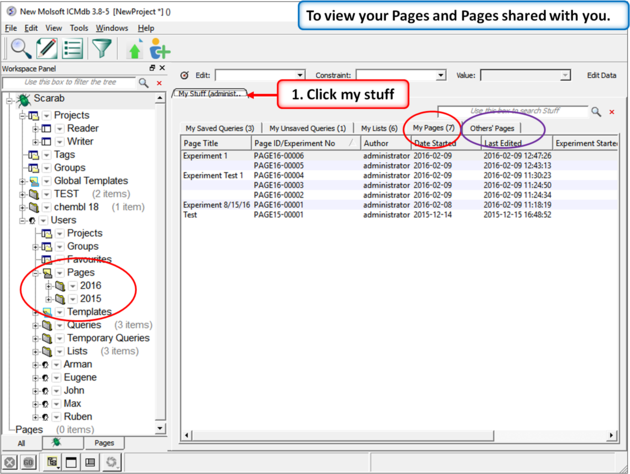 |
| Click on "My Stuff" tab to see your pages and others' pages. |
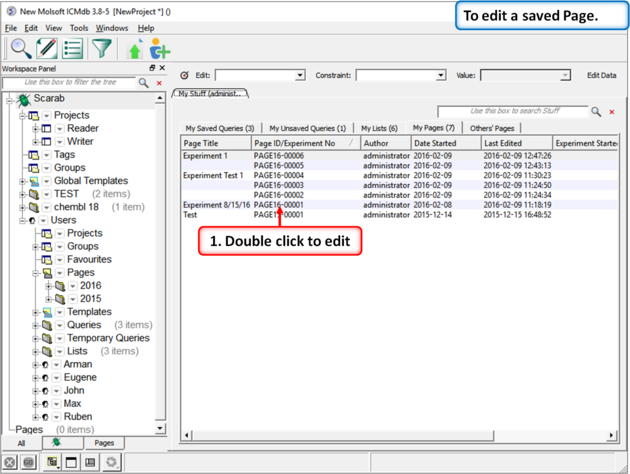 |
| Right click on a page in the "My Stuff" tab to edit a saved page. |
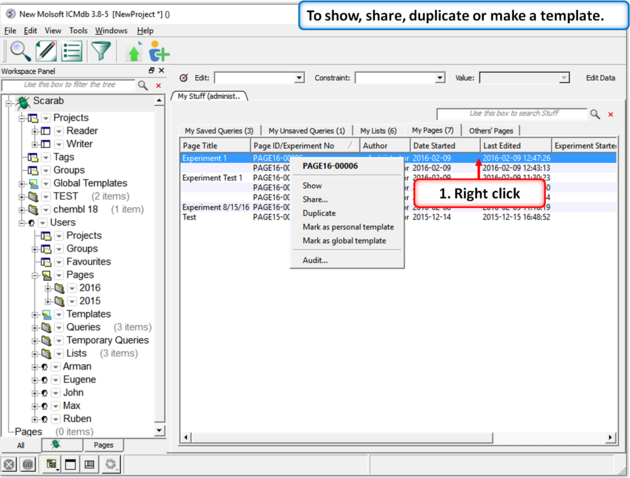 |
| Right click on a page in the "My Stuff" tab to show, share, duplicate or make a template. |