[ UniProt | Cut and Paste | Extract from PDB | From File | Save Sequence ]
| Available in the following product(s): ICM-Pro |
There are a number of different ways to load a sequence into ICM via the Graphical User Interface.
Uniprot is a curated protein sequence database which provides a high level of annotation (such as the description of the function of a protein, its domains structure, post-translational modifications, variants, etc.).
To read a sequence from UniProt:
- File/Load/UniProt
- Enter UniProt ID
or use the option in the Search Tab.
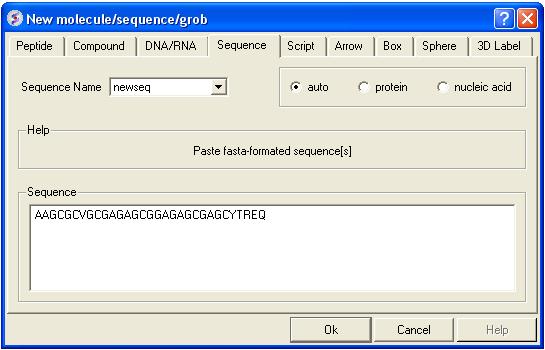
Paste your own sequence into ICM
- File/New/Sequence
- Paste the Sequence into the box provided.
Extract a Sequence from a PDB file
- Right click on a molecule in a loaded PDB file in the ICM Workspace.
- Select Extract Sequence(s) and the sequence will be loaded into the Sequences section of the ICM Workspace.
To read a sequence from a file:
If you have a sequence file saved in FASTA format it can be read into ICM by:
- File/Open
To save a sequence in FASTA format:
- Right click on the sequence name in the ICM workspace.
- Select the option Save As.
- Choose FASTA format from the Windows "Save as type:" drop down menu option.