[ Covalent Docking ]
| Available in the following product(s): ICM-Pro | ICM-VLS | ICM-Chemist-Pro |
To dock from a table in the ligand editor.
- Setup the ligand and receptor in the ligand editor.
- Read in the sdf file or chemical spreadsheet which contains the chemicals you wish to dock.
- Select the Advanced button in the ligand editor and select Dock Table.
- In the dialog box select the thoroughness (length of simulation) and the number of conformations.
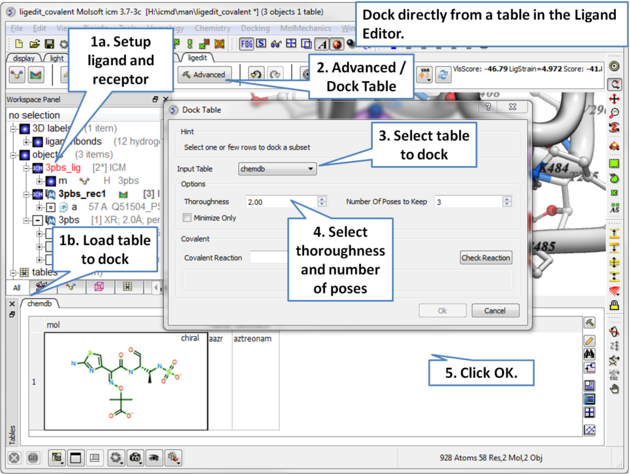
To undertake covalent docking from a table:
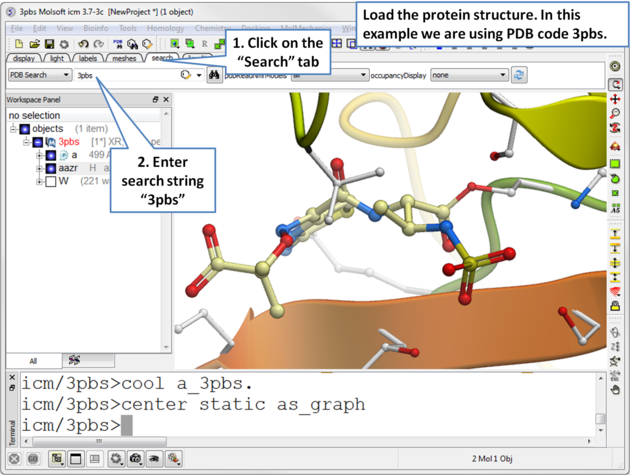 |
| Read in the PDB file you wish to dock to containing the covalently linked ligand. |
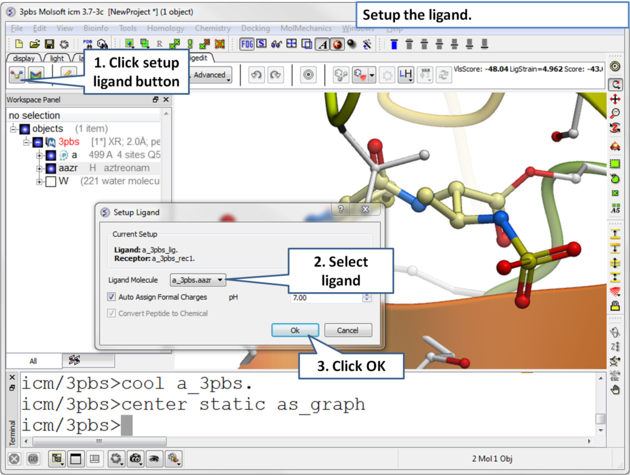 |
| Setup the ligand in the ligand editor. |
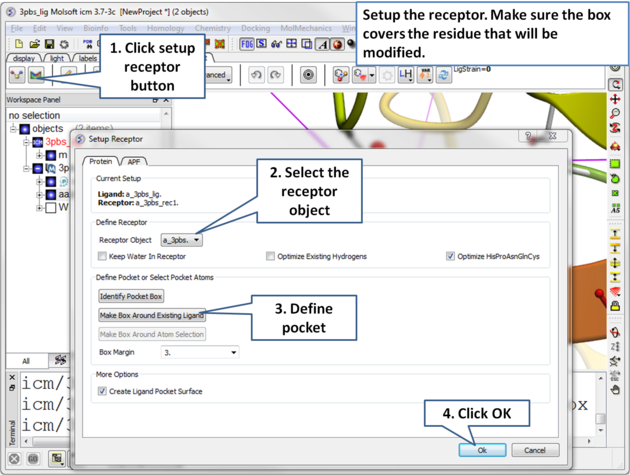 |
| Setup the receptor in the ligand editor. |
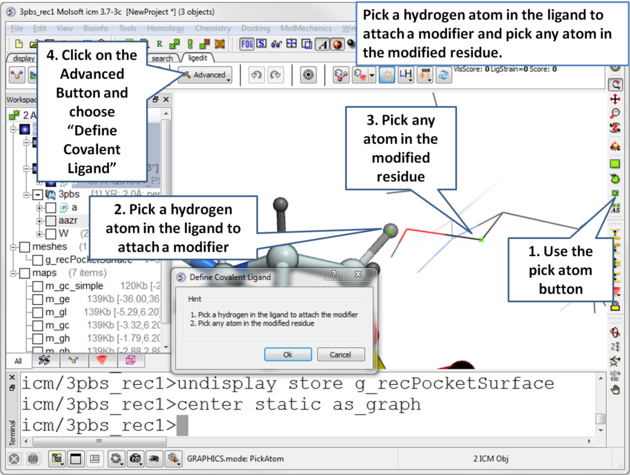 |
| Pick a hydrogen atom in the ligand to attach a modifier and pick any atom in the modified residue. Next, click on the Advanced button and choose "Define Covalent Ligand". |
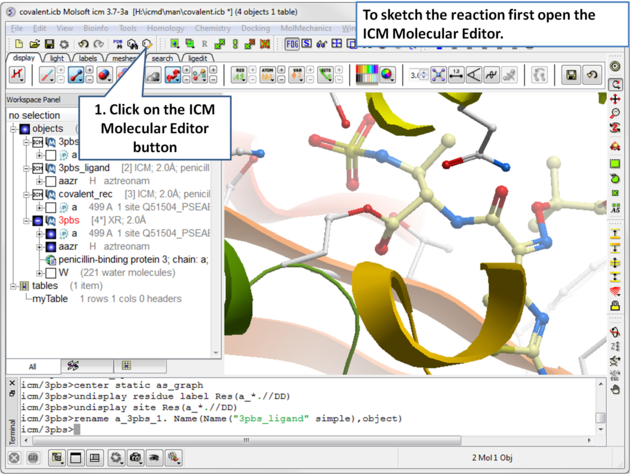 |
| Open the molecular editor. Note you may first need to click on the display tab to see the Molecular Editor button. |
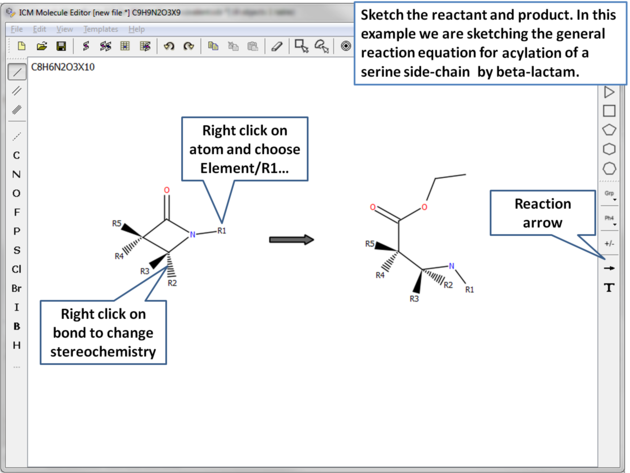 |
| Sketh the reactant and product. |
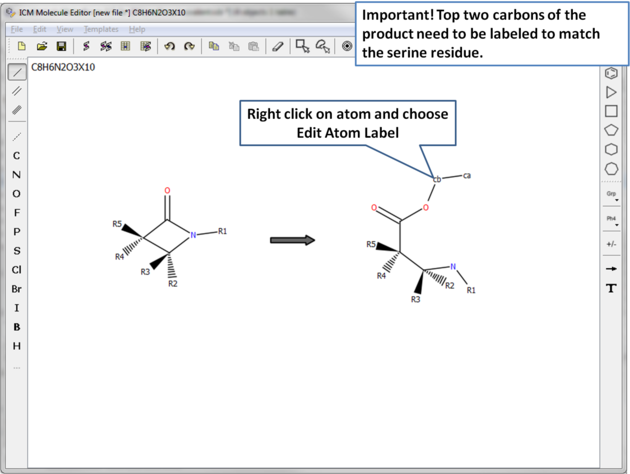 |
| Two of the atoms need to be labeled to match the residue in the receptor. |
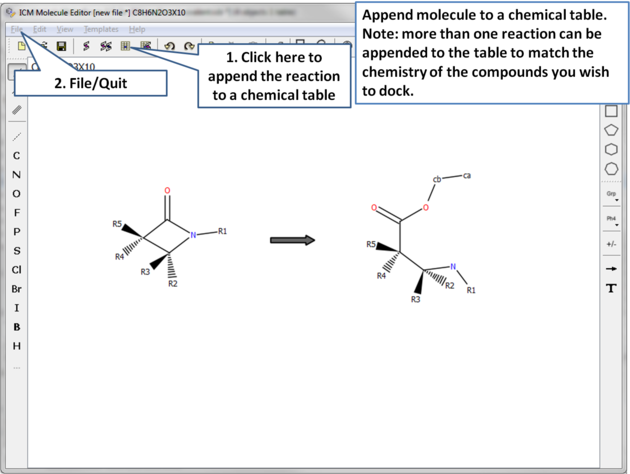 |
| Append the reaction to a chemical table. Note more than one reaction can be added to the table to match the ligands in your chemical table that you wish to dock. |
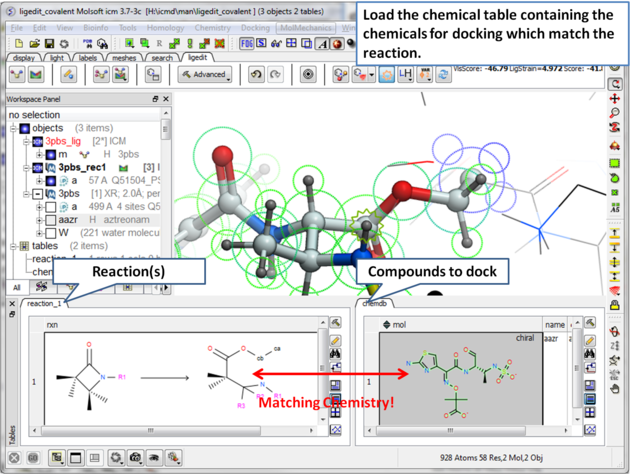 |
| Load the chemical table containing the ligands you wish to dock. |
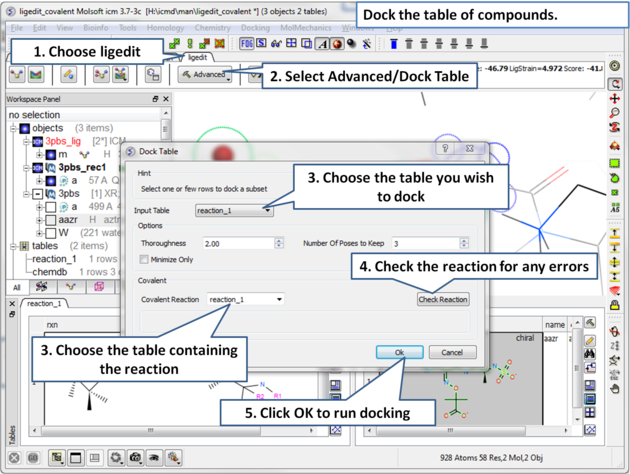 |
| Choose Advance/Dock Table and select the covalent options shown. |