| Available in the following product(s): ICM-Pro | ICM-VLS | ICM-Chemist-Pro |
| Video |
Multiple reecptor conformation docking has been shown to be an efficient way of incorporating receptor flexibility into ligand docking (see Bottegoni et al J.Med.Chem 2010). You can dock to multiple receptor conformations in the 3D ligand editor by selecting the superimposed structures receptor setup stage. 4D maps will be generated from all the receptors selected.
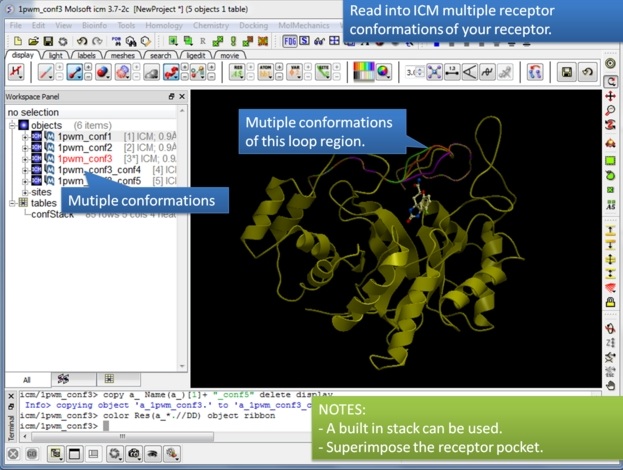 |
| Step 1: Read into ICM the receptor conformations you would like to dock to. If you have a conformation stack already loaded into ICM (e.g. after modeling a loop region) ICM can use that. |
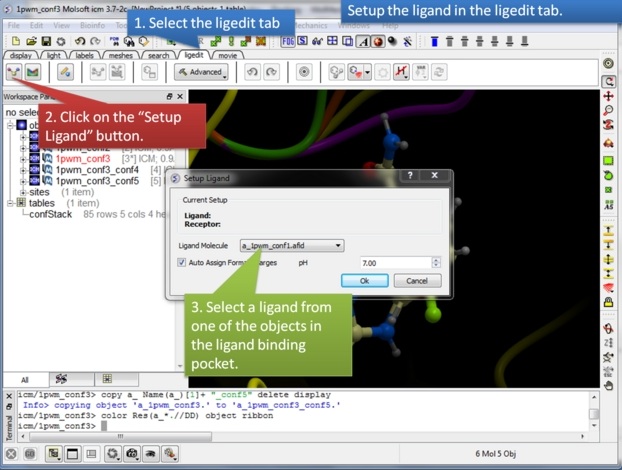 |
| Step 2:Setup the initial ligand you would like to dock. |
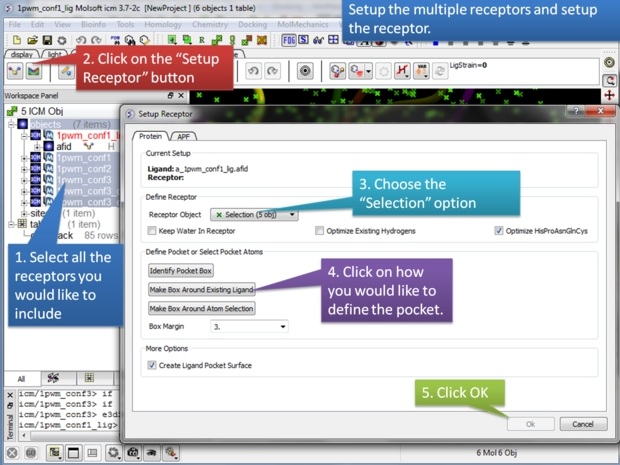 |
| Step 3: Select the receptors you would like to dock to. Make sure they are correctly superimposed. |
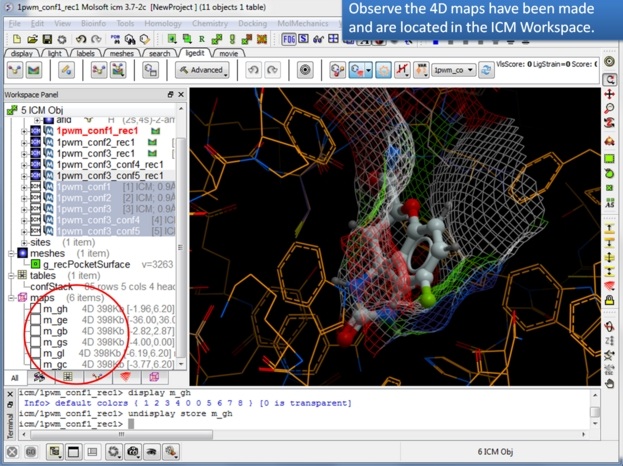 |
| Step 4: You will see that 4D maps have been generated and stored in the ICM Workspace. |
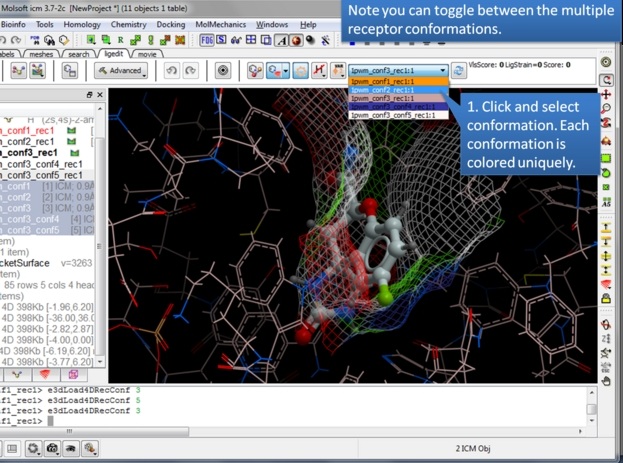 |
| Step 5: You can easily toggle between each receptor to display them. |
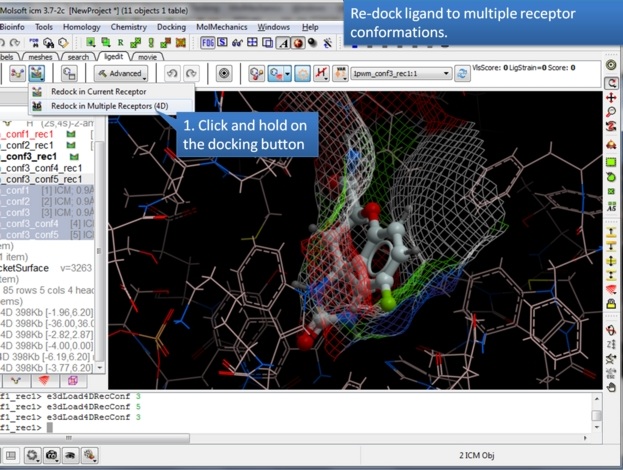 |
| Step 6: Click and hold on the docking button to select "Re-dock to multiple Receptors (4D). |
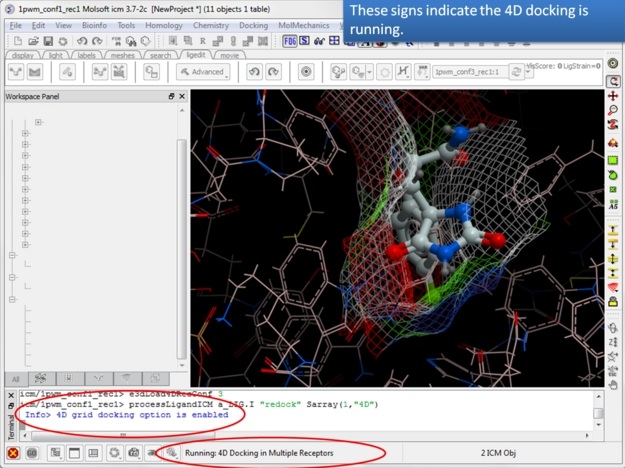 |
| Step 7: The docking will start running. |
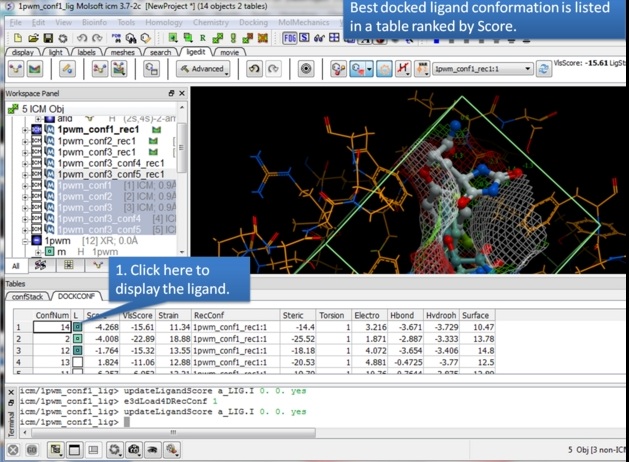 |
| Step 8: Use the interactive table to view the results. |
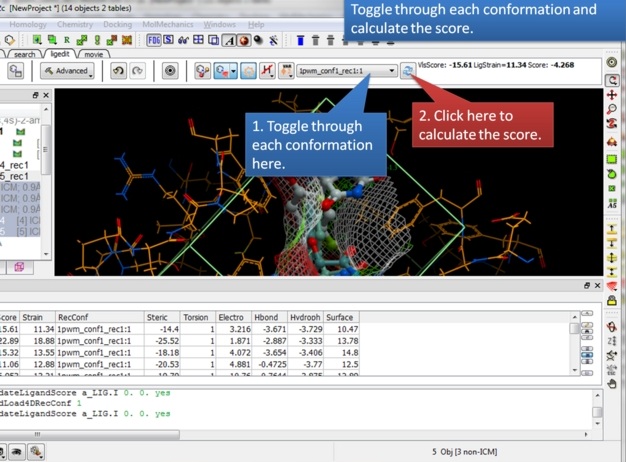 |
| Step 9: Toggle through the results and view the score. |