| Available in the following product(s): ICM-Browser | ICM-Browser-Pro | ICM-Pro | ICM-Chemist |
Anything you have displayed in an ICM graphics session can be conveniently stored in a single file called an .icb file. To do this:
- File/Save Project
or
- File/Save Project As
A .icb file can be password protected by:
- File/Save with Password
- Enter a file name or browse for a previously saved project.
- Enter a password
- Determine whether you want the file to be Fully Protected, read only or Read Only and Allow Comments .
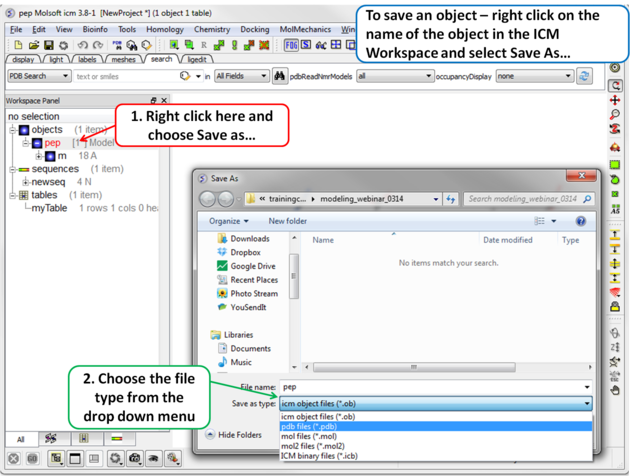
Any object (e.g. protein,table, alignment...) inside the ICM GUI can be saved by:
- Right click on the name of the object in the ICM Workspace.
- Select "Save As"
- Choose the file format from the "Save as Type" drop down dialog.