[ Open with Password | Extract from icb ]
| Available in the following product(s): ICM-Browser | ICM-Browser-Pro | ICM-Pro | ICM-Chemist |
Any file that ICM can understand can be opened by:
- Selecting File/Open.
A file with an extension .icb is an ICM binary file and can be viewed in the GUI. A .icb file can contain many objects such as sequences, meshes, protein objects, alignments, tables etc...
To open a file that is password protected:
- File/Open with Password
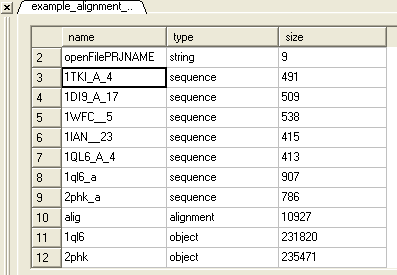
An icb file is an icm project file, in some instances you may want to take objects saved in an icb file and load it in your current ICM session. This option allows you to view a tabulated list of what a icb file contains and load individual object files from it.
- File/ Extract from ICB.
- Locate the saved icb file.
- A table as shown below will be displayed
- Double-click on any of the entry to extract that object from the icb file.