[ Convert PDB Chemical | ICM Workspace | Graphical Display ]
| Available in the following product(s): ICM-Chemist-Pro | ICM-VLS |
To convert a chemical structure from 2D to 3D:
There are three ways in which to do this depending on whether you have a chemical in a chemical table or in the ICM workspace.
From the Chemistry/Convert/2D to 3D option menu option - convert a chemical in a chemical table.
- Read in chemical spreadsheet table.
- Chemistry/Convert/2D to 3D
- Select the table from the drop down list.
- Select to keep hydrogens and/or fix amide bonds.
- Keep current table or overwrite.
If the compound is in the ICM Workspace:
- Select all of the structure to be converted by double clicking on it in the ICM workspace or by using other selection tools described in the Selection Toolbar Section of this manual.
- MolMechanics/ICM-Convert/Chemical and a data entry box as shown below will be displayed.
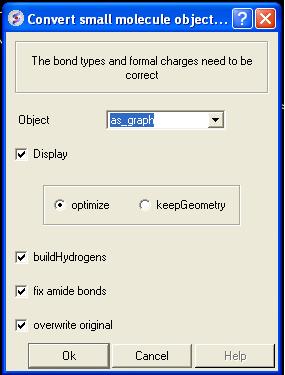
If you have selected the compound as described above the "as_graph" option in the Object data entry box will suffice. You can decide whether you wish to keep the chemical geometry or optimize it in a force-field. Other options include whether you wish to add hydrogens and fix amide bonds.
From an ICM chemical table:
- Select which structures you wish to convert in the molecular table. For instructions on making selections within tables see the Making Table Selections part of this manual.
- Right click on one of the selections you have made and a menu as shown below will be displayed. Or use the Chemistry menu and select Convert To 3D.
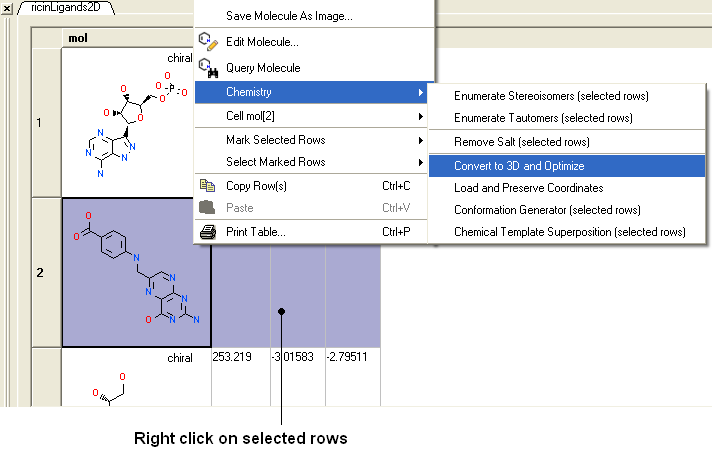
- Select the Chemistry/Convert to 3D and Optimize option and you will see the compounds being converted and minimized in the 3D graphical display window.
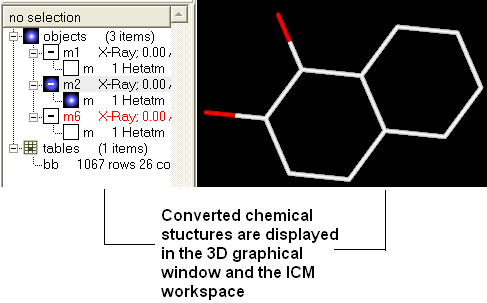
Once converted the compounds will be displayed in the 3D graphical display window and also in the ICM workspace.
Another way to convert all the ligands contained within a table (or a selection) into 3D coordinates :
- Chemistry/Convert to 3D..
- Use the drop down list to select the Molecular Table.
- Select whether you want to Keep Hydrogens, Fix Omegas and In Place. Select In Place if you want to overwrite current table.
- Click OK
- If you wish to run in Batch mode select the Files option.
| NOTE: Use the 3D-Browse mode to view the chemicals in the graphical display. |
To convert 3D representation in a molecular table back to 2D:
- Chemistry/2D depiction
- Use the drop down list to select the Molecular Table.
- Select In Place if you want to overwrite the current table.
- Click OK.
The protein data bank has not been storing any information about covalent bond types and formal charges of the chemical compounds interacting with proteins! This oversight makes it impossible to automatically convert those molecules to anything sensible and requires your manual interactive assignment of bond types and formal charges for each compound in a pdb-entry. Therefore, if you apply the convert command to a pdb-entry with ligands, the ligands will just become some crippled incomplete molecules that can not be further conformationally optimized.
Therefore, follow these steps to convert a chemical properly from a pdb form to a correct icm object. There are two ways to do this either via the ICM Workspace (recommended) or via the Graphical Display.
This is described in the Convert Protein and Chemicals chapter.
This is described in the Convert Protein and Chemicals chapter.