| Available in the following product(s): ICM-Pro |
To make a disulfide bond:
- Convert the molecule to an ICM object.
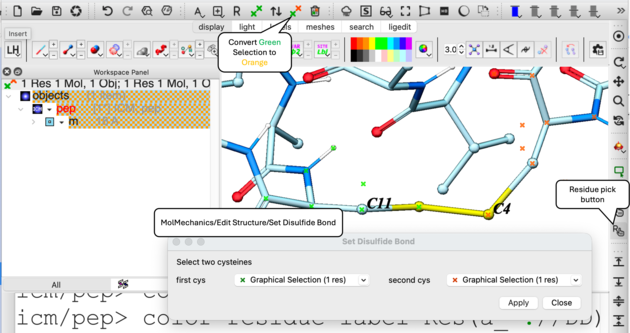
- Select one of the two cysteine using the residue pick button and then convert the selection from green selection to orange selection.
- Select the other cysteine using the residue pick button to make a regular green selection
- MolMechanics/Edit Structure/Set Disulfide Bond... and you will see the selections
- Click on the Apply button
- You can then minimize the bond using MolMechanics/Minimize/Cartesian.
Also see command line manual here.