[ Protonation and Charge States | Modify Group ]
How to manually modify protonation and charge states:
- Convert your molecule into an ICM Object.
- Right click on the residue you want to modify and choose Advanced and choose one of the options from the Set menu .
Options include:
| Standard Residue | Alternative Name | Change |
|---|---|---|
| CYS | CYM | Deprotonated thiolate: –SH → –S− |
| GLU | GLUH | Protonated glutamic acid: –COO− → –COOH |
| ASP | ASPH or ASH | Protonated aspartic acid: –COO− → –COOH |
| LYS | LYN | Neutral lysine: –NH3+ → –NH2 |
| HIS | HID, HIE or HIP | Proton on Nδ, proton on Nε, or both nitrogens. HIP is positively charged. |
| The protonation states can be automated using the PROPKA model as described here. |
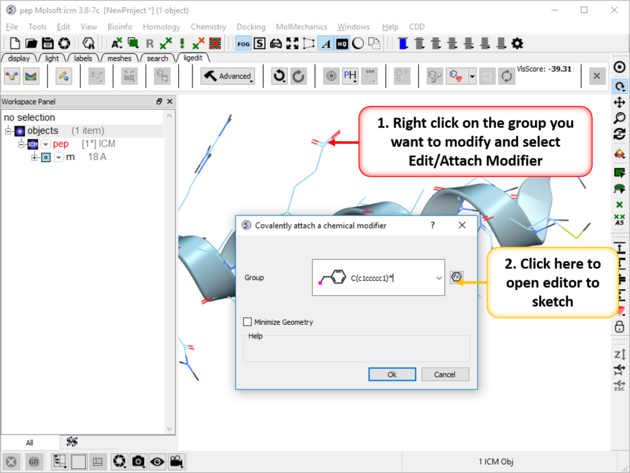 |
To modify a group:
|