There are several ways of taking a picture of the contents of the 3D graphical display window see the write image section. However the easiest way is to simply click on the button in the view tools panel (see image below).
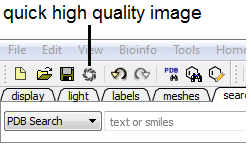
Or select /File/Quick Image
The picture will be automatically saved as a PNG file in the directory from which you loaded ICM. The default picture name is icm[n].png, where n is the number of pictures taken in one ICM session. To save in other picture formats and to change the file name see the write image section.