The workspace panel (located on the left hand side panel of the gui) is an important place within the graphical user interface because it displays which sequences, structures, objects, tables and alignments are currently loaded into ICM. From the ICM Workspace panel you can make graphical selections and display and undisplay molecules.
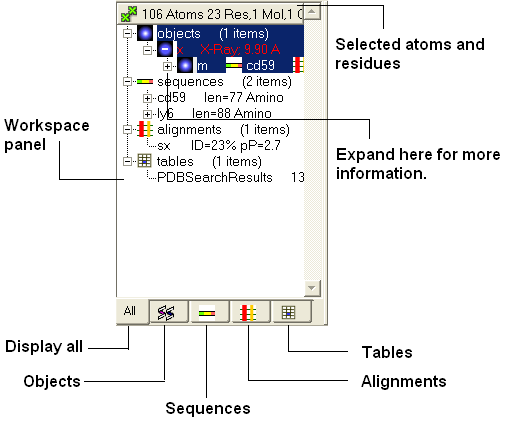
Once a structure has been loaded into ICM the individual components of that structure (i.e. amino acids, metal ions, binding sites etc) are listed in the ICM workspace.
To display every component of the object except for binding sites and water atoms:
- Click on the white box next to the word object at the top of the ICM workspace. This box will be colored blue once the structure is displayed
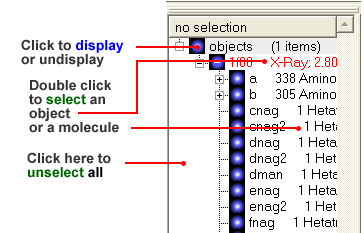
To display the whole structure in wire, ribbon, cpk, skin, surface and xstick representations:
- Right click on the blue box next to the word object. A menu will be displayed.
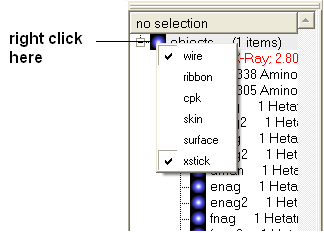
- Select which representation you desire for your structure by clicking on the appropriate word. A check mark indicates the representation currently displayed. To un-display a particular representation click on the word again.
In order to clear your graphical display:
- Select View/Undisplay All
If you only wish to display part of the structure then click in the boxes further down the tree in the ICM workspace.
To display selected regions of the molecule in wire, ribbon, cpk, skin, surface and xstick representations:
- Right click on the appropriate box in the ICM workspace. A menu will be displayed and select the representation you would like to use (e.g. wire, ribbon etc...)