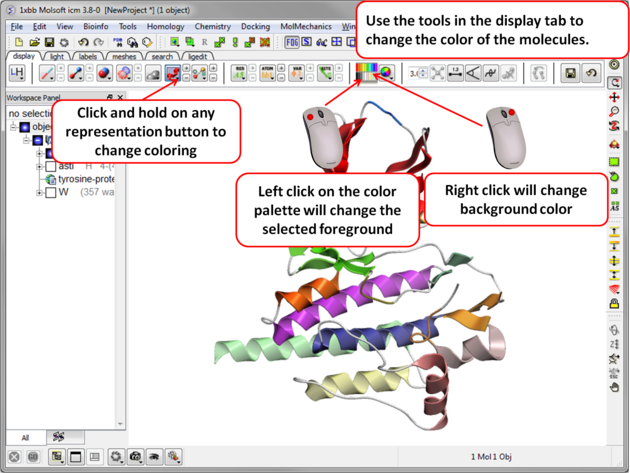
To change the color of the representation you need to use the buttons in the display tab.
Changing the colour of a representation works in much the same way as displaying the representation itself. The selection rationale is the same followed by clicking on a colour in the palette in the display tab. It is also possible to colour different representations of the same selection independently by clicking and holding on the representation buttons in the display tab.